Hybrid work has changed meetings forever. The best rooms now do more than join a call; they actively help you run it. With Microsoft Copilot and the latest Teams Rooms innovations, meeting spaces can capture decisions, identify speakers, draft follow‑ups and keep discussions on track. Pair those capabilities with thoughtfully chosen hardware and you deliver a consistently brilliant experience for every user, in every room. Here’s how it all fits together and where Rob’s expertise comes in.
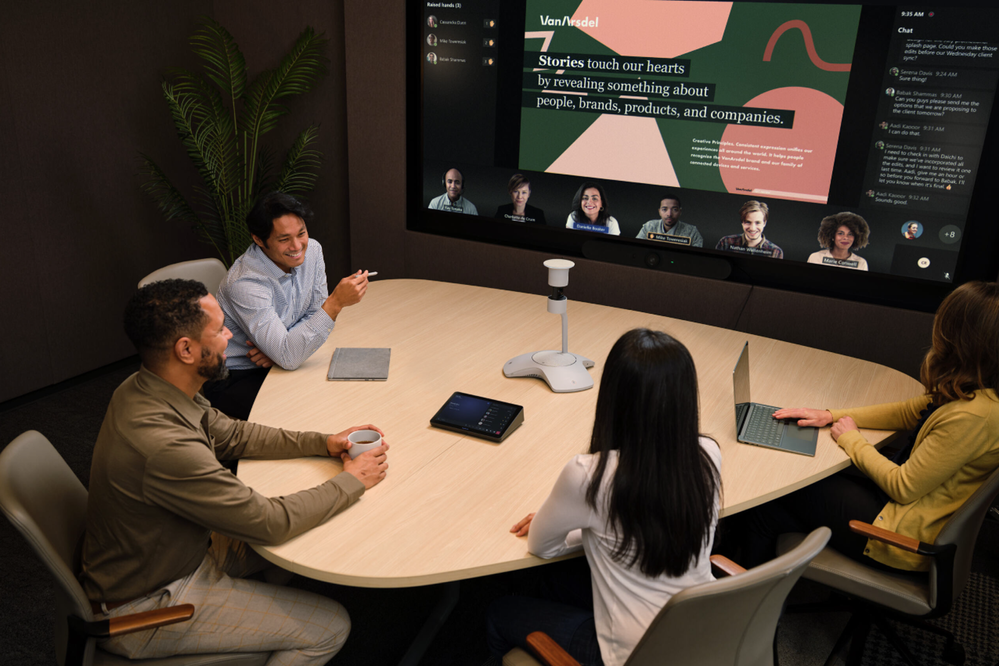
Copilot in Teams Rooms: Your meeting co‑pilot
Copilot is woven into Microsoft Teams and Teams Rooms to speed up preparation, keep discussions productive and make outcomes crystal clear. In practice, that looks like:
- Intelligent recap and Q&A — AI‑generated summaries with decisions, tasks and topic chapters for users licensed for Copilot/Teams Premium, grounded in transcripts with speaker attribution.
- Facilitator in meetings — an in‑meeting agent that posts a timed agenda, nudges discussions back on track, captures notes and actions in real time, and can create Loop or Word docs as part of the process. It’s now available in public preview and rolling into Teams Rooms on Windows and Android.
- Smarter room experiences — automatic camera selection (IntelliFrame), enhanced voice/face recognition and improvements to Pro Management for BYOD and bookable desks, giving IT data‑driven insights.
For admins, Microsoft has a clear guide to enabling Copilot in Teams Rooms (licences, policies and device prerequisites), and we frequently implement these as part of our projects.

Why MDEP matters (especially for Android video bars)
Behind the scenes, Microsoft has introduced the Microsoft Device Ecosystem Platform (MDEP) — Microsoft’s enterprise‑grade, Android‑based platform for collaboration devices. MDEP standardises the OS these devices run, giving Microsoft (and you) tighter control over security, updates and feature consistency across OEMs.
The upshot for customers is:
- Stronger security and trust — verified boot, a reduced attack surface, and alignment with Microsoft’s management stack (Intune/AOSP) instead of fragmented Android variants.
- More reliable updates — Microsoft can ship patches and features on a consistent schedule across Android‑based room devices.
- A bigger, better ecosystem — more OEMs can deliver Teams‑certified devices faster, with less variability.
If you’re standardising on Teams Rooms on Android for you small to medium spaces with video bars, MDEP is a meaningful step forward for resilience and manageability.
Hardware that shines with AI: Neat, MAXHUB and Huddly
At Coral Vision we’re vendor‑agnostic — we specify what fits the room, workload and budget — but three names keep delighting our customers.
Neat — beautifully engineered meeting bars with “Neat Symmetry”
Neat’s design philosophy prioritises simple deployments, great acoustics and AI‑assisted framing that keeps everyone equally visible (“Neat Symmetry”). Neat Bar Generation 2 pairs with Neat Pad and is certified for Microsoft Teams, offering a 50MP wide‑angle camera, advanced noise suppression, and single‑cable BYOD options when you need to join other platforms.
Neat’s rapid enterprise rollouts underscore the operational simplicity Teams admins appreciate — exactly the kind of scale Coral Vision delivers for multi‑site customers.
MAXHUB — flexible Teams Rooms kits (and MDEP momentum)
MAXHUB’s XCore Kit converts BYOD spaces into fully certified Teams Rooms on Windows, combining a compact compute and 10.1″ console — ideal when you want to retain existing USB peripherals or displays.
MAXHUB is also investing heavily across the portfolio (interactive XBoard displays, cameras and video bars) and has publicly aligned with MDEP to raise the security and manageability bar for Android‑based systems — good news if you’re standardising on video bars and want Microsoft’s platform under the hood.
Huddly — AI‑directed cameras that keep people engaged
Huddly’s L1 (certified for Microsoft Teams) uses on‑device AI for Group Framing, Perspective Correction and Huddly Director — a real‑time, TV‑style “director” that switches between speaker and listener reactions to keep remote participants engaged. For larger rooms, the L1 brings a 6K sensor and analytics.
These capabilities dovetail brilliantly with Copilot/Intelligent Recap because the better the framing and attribution, the better the AI outcomes — decisions, tasks and highlights are clearer when the system knows who said what and can “read the room”.
What’s the real‑world benefit for business users?
- Turn meetings into outcomes
With Facilitator and Intelligent Recap, users leave with agreed actions, who’s owning them, and a summary they can share instantly — no more chasing notes. - Inclusive hybrid experiences
AI framing (IntelliFrame, Neat Symmetry, Huddly Director) keeps in‑room and remote participants equally visible, reducing “back‑row bias” and improving engagement. - Faster catch‑up, less FOMO
Missed the meeting? Copilot lets you query the transcript in natural language and skim decisions and tasks in minutes. - Reduced IT overhead
MDEP standardises Android‑based room devices for stronger security and predictable updates, while Teams Rooms Pro Management brings analytics for both native rooms and BYOD spaces. - Future‑ready platform
Microsoft continues to add AI capabilities — from enhanced voice/face recognition to Facilitator rolling into Rooms on Android — so your rooms keep getting smarter without a forklift upgrade.
How rob@meetingroom.technology and I can help
Deploying AI‑assisted rooms isn’t just a shopping list exercise. It’s room design + device selection + licensing + governance — and then the change management so your people use the new superpowers.
Rob can::
- Design spaces that suit the way your teams actually meet, from focus rooms to divisible town‑hall spaces.
- Select and integrate the right hardware For example: Neat Bar 2 for huddle rooms, MAXHUB XCore Kit when you’re migrating BYOD to native Teams Rooms, Huddly S1/L1 where AI‑driven features make the difference.
- Enable Copilot safely licensing, transcription policies, voice enrolment, data access hygiene and tune Teams Rooms policies for your security posture.
- Measure adoption with analytics and iterate layouts and presets (camera zones, audio EQ, touch workflows) based on real usage patterns.
Personally, I’ve spent years helping organisations move from “video that works most of the time” to spaces that people fight to book — because the rooms take the admin out of meetings. Whether you’re refreshing a handful of rooms or rolling out globally, my job is to de‑risk the choices, align stakeholders, and land a standard you can scale.
Ready to level‑up your rooms?
If you want to see Copilot, Facilitator and AI framing running on Neat, MAXHUB and Huddly side‑by‑side, we can arrange a hands‑on demo and map the right stack to your rooms and roadmap.
Let’s make your meeting rooms do the work.
Leave a Reply